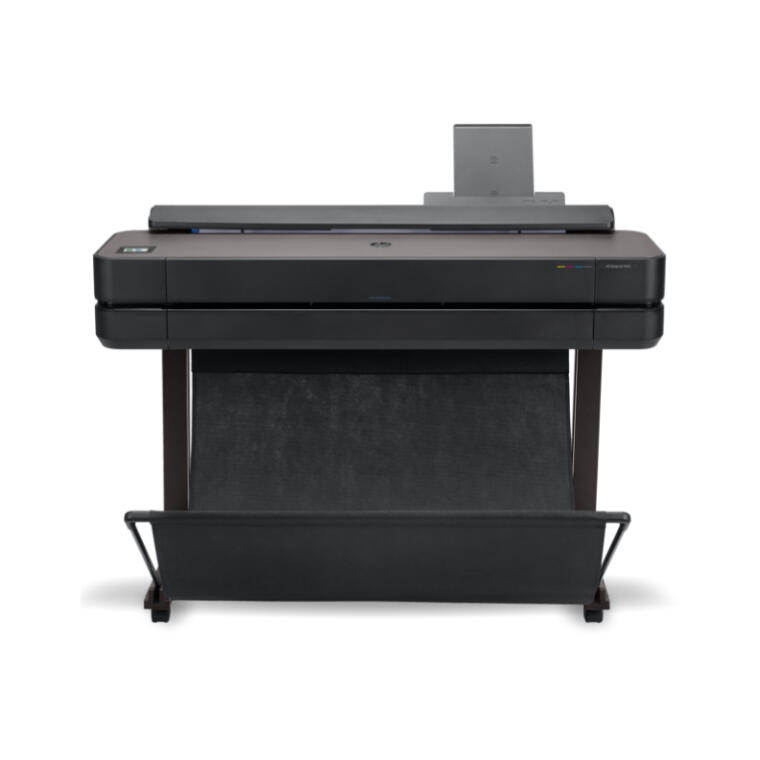
Key features
- Available in 24” and 36"
- 1GB of internal memory
- Stand included
- Automatic sheet feeder included
Product specifications
Title
HP DesignJet T600 plotter series
Functions
Print
Model size
24 in
Print speed
30 sec/page on D, 59 D prints per hour[1]
Print technology
HP Thermal Inkjet
Printer drivers included
Raster driver for Windows and macOS
Print quality colour (best)
Up to 2400 x 1200 optimized dpi
Print languages
HP-GL/2, HP-RTL, CALS G4, JPEG, URF
Number of print cartridges
4 (C, M, Y, K)
Ink types
Dye-based (C, M, Y); pigment-based (K)
Line accuracy
±0.1%[3]
Connectivity, standard
Gigabit Ethernet (1000Base-T), Hi-Speed USB 2.0, Wi-Fi 802.11a/b/g/n
Memory
1 GB
Internal Storage
None
Finished output handling
Sheet feed, roll feed, automatic horizontal cutter
Media sizes standard (sheets, rolls)
24-in: 11 to 24 in (279 to 610 mm); 36-in: 11 to 36 in (279 to 914 mm)
Media sizes, custom
Auto sheet feeder: 8.3 x 11 to 13 x 19 in; manual feed: 8.3 x 11 to 24 x 74.7 in
Media types
Bond and coated paper, technical paper, film, photographic paper, self-adhesive
Power
Input voltage (auto ranging): 100-240 V (±10%), 50/60 Hz (±3 Hz), 1200 mA max
Power consumption
[35 W (printing), [5.6 W (ready), [2.1 W (sleep), 0.2 W (standby)
Energy star certified
Yes
Operating temperature range
41 to 104ºF (5 to 40ºC)
Minimum dimensions (W x D x H)
24-in: 39.9 x 23.8 x 36.7 in (1013 x 605 x 932 mm); 36-in: 51.9 x 23.8 x 36.7 in (1317 x 605 x 932 mm)
Weight
24-in: 63.7 lb (28.9 kg); 36-in: 76.5 lb (34.7 kg)
Software included
HP Click, HP Smart app, HP Print Preview for Windows, HP Easy Start, HP DesignJet Utility for Windows, HP Support Assistant
Warranty
One-year limited hardware warranty