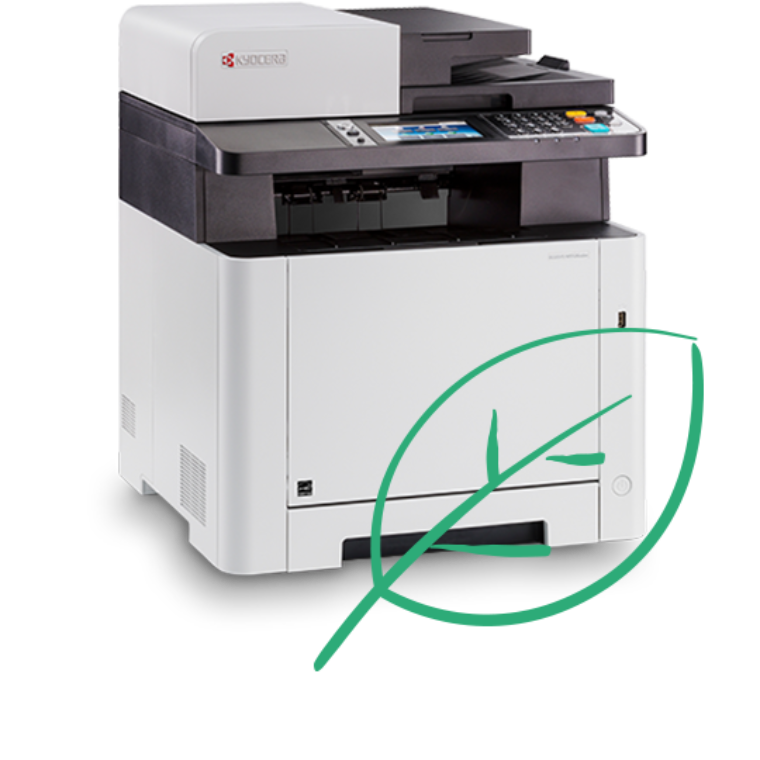
Key features
- Dual-scan document processor
- 4.3 inch touch screen for intuitive use
- Direct printing functions (via Wi-Fi and USB host) keep your work running seamlessly
- Up to 26 pages per minute in A4
- Contains a long-yield toner with a capacity of up to 3,000 pages in colour
Product specifications
Title
Kyocera ECOSYS M5526cdw/A
Output Speed
Up to 26 pages A4 per minute in colour and b/w
Processor
800MHz
Resolution
1,200 x 1,200 dpi
Memory
Standard 512 MB, max. 1,536 MB
First Copy Time
Approx. 11 seconds or less
Time To Print First Page
Approx. 9.5/10.5 seconds or less in b/w/colour
Warm Up Time
Approx. 29 seconds or lessb/w/colour
Paper Handling Input
250 sheet paper cassette + 50 sheet multipurpose tray
Maximum Paper Handling Input
550 sheets (with optional PF-5110 Paper Feeder)
Paper Handling Output
150 sheets face down
Output Size
A4
Duplex
Automatic (built-in)
Printing
Standard: Network Printing
Scanning
Scan-to-email, Scan-to-FTP, Scan-to-SMB, Scan-to-USB, TWAIN scan, WSD scan
Scan Speed
30ipm (300dpi, A4, monochrome); 20 ipm (300dpi, A4, colour, simplex), 24 ipm (300 dpi, A4, b/w, duplex), 16ipm (300 dpi, A4, colour, duplex)
Scan Features
Integrated address book, Active directory support, encrypted data transfer, Blank sheet skip
Emulation
PCL 6 (PCL 5c/PCL-XL), PostScript 3 (KPDL 3), PDF Direct Print, XPS Direct Print
Control Panel
10.9 cm (4.3 inch) full colour touch panel display
Drum Life
100,000 pages
Standard Interface
USB 2.0 (Hi-Speed), USB Host Interface, Gigabit Ethernet (10BaseT/100BaseTX/1000BaseT), Wireless LAN, Slot for optional SD/SDHC-Card
Dimensions & Weight
417 x 429 x 495 mm - approx 26kg
Warranty
2 year on-site warranty - extended warranty options are available